Hatch Sleep Clock vs Restore 3: Do You Need Tracking or a Wake-Up Routine?
US buying guide · Documentation checked August 27, 2026
At Hatch’s US store, and when checked. The extra $80 buys contactless sleep tracking and personalized insights. Both already offer sunrise alarms and sleep audio. makes that distinction explicit.
Both can help you carry out a routine. Pay extra for tracking only if its estimates will answer a question you can act on—and the bedroom and privacy requirements suit you.
Author: TOPCLOCKS Editorial TeamUpdated: August 28, 2026
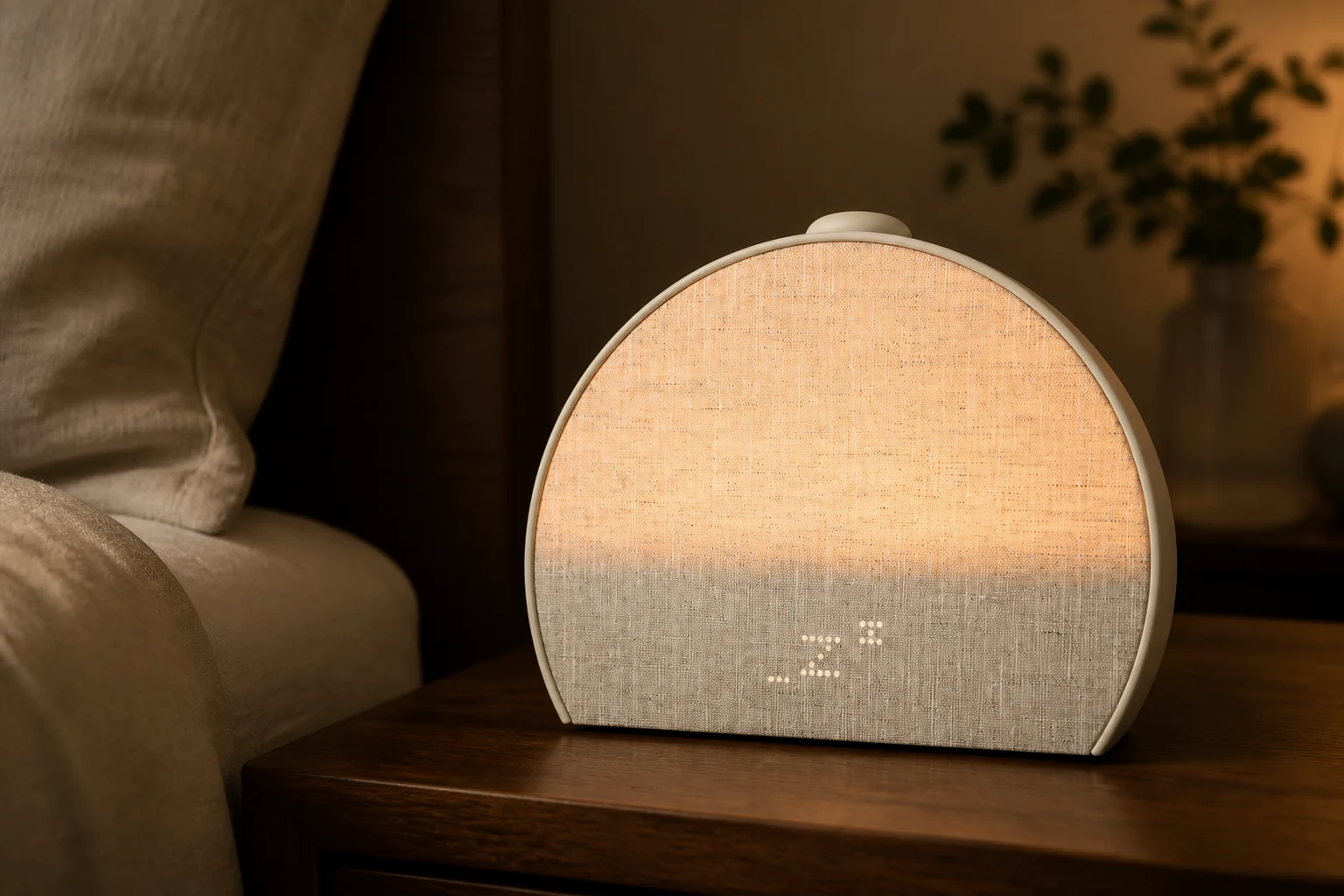
Hatch Sleep Clock. Editorial scene based on the manufacturer’s model photograph.
Quick verdict: buy for a question you will act on
Before comparing colors or audio choices, finish this sentence: “If the clock showed me a recurring pattern, I would change ______.” An earlier wind-down, a more realistic bedtime, or a different routine length is a concrete answer. “I would check the graph” is not yet a reason to pay for tracking.
Choose Sleep Clock when the information has a job
You want to compare the bedtime you planned with the night you actually had, and you are willing to review approximate patterns rather than demand a definitive explanation of every bad night. Reserve a suitable bedside position and decide whose sleep the device should follow before ordering.
Choose Restore 3 when the routine is the job
You want a consistent way to start winding down and a separate morning alarm, without another set of sleep estimates to interpret. Choosing it does not mean giving up the shared sunrise-and-audio functions just to save money.
If that sentence is hard to finish, keep a brief bedtime diary before buying either model. It can reveal which question needs answering without committing you to a particular device. This is a decision exercise, not a substitute for a sleep assessment.
Sleep Clock and Restore 3, side by side
Hatch Sleep Clock
Consider it for a tracking question, not simply because it is the newer name. Its distinctive capability adds a placement decision as well as a purchase decision. Check the tracking and privacy sections below before treating it as the automatic upgrade.
Restore 3 suits a repeat bedtime and wake-up routine. Check its physical controls against the actions you want to perform at night; a familiar-looking clock does not make every button interchangeable.
Documented differences, without a feature-count winner
Decision point
Hatch Sleep Clock
Restore 3
Sleep information
Tracking, insights, and recommendations
No sleep tracking —
Shared bedside functions
Sunrise alarm and sleep audio
Sunrise alarm and sleep audio —
Distinctive shortcut
Configurable
for Unwind content
Scheduled bedtime cue
One
One
Alarm schedules
; numeric cap not established
; numeric cap not established
Network setup
App and
App and
Power instructions
Without Hatch+
Sleep data remains included —
Basic features and core audio remain —
What sleep tracking adds—and what it cannot tell you
Sleep Clock uses breathing and small movements to estimate awake, light, deep, and REM periods. Think of the result as a sensor-derived account of the night, not a direct measurement of brain activity.
The useful question is often simpler than “Did I get enough deep sleep?” Suppose you intended to begin your routine earlier but kept getting into bed late. Comparing the plan with recorded bed-entry timing can help you decide whether to move the cue. It cannot prove that a particular sound caused a better night.
Separate an observation from an explanation. “The estimate changed after I adjusted my routine” is an observation; “that adjustment fixed my sleep” needs more evidence. Make one manageable change, note other unusual circumstances, and look for a pattern before treating the graph as a verdict.
A diary can help identify obvious mismatches in remembered bed and wake times. It cannot tell you whether a particular minute was REM. Keep those checks separate: whether the information is plausible enough to use, and whether a specific measurement has been independently validated. A home buying trial can inform the first decision without establishing the second.
Shared beds need a qualified answer
The is more reassuring about bed sharing than the support documentation. The latter describes one primary sleeper, usually nearest the clock, and warns that arrangements affect results. It also identifies pets as a possible source of movement interference. Use that narrower expectation. ; .
A partner or pet does not automatically rule the device out. It does make the trial specific to your normal sleeping arrangement. Decide whose information matters, and do not buy one clock expecting two independent sleep records.
Hatch describes the first nights as calibration and says patterns and insights appear after seven days. That is not a seven-day improvement guarantee. Its guide also excludes heart rate, HRV, and sleep-disorder diagnosis. The advertised accuracy figure concerns underlying sensing technology, not a verified result for your room.
Bedside controls: Sleep shortcut or Swap?
On both models, the large top control starts or advances a routine; holding it stops the routine. During an alarm, a short press snoozes and a hold stops it. Rotation changes volume—not brightness. Both guides also describe pause/resume, a light button, an alarm toggle, and tapping to reveal a hidden clock. ; .
Sleep Clock’s configurable Sleep button launches a selected sound, light, and duration outside the playlist. Restore 3’s Swap button changes Unwind content. Prefer the former if you want a predictable separate shortcut; prefer the latter if changing content within the routine is the action you expect to use.
Practice the short-press/hold distinction while awake. Also check the alarm switch before assuming an app schedule is active: it disables all scheduled alarms, whereas the app can disable an individual one. ; .
For a complicated schedule, use the actual week you need to program and check each alarm’s repeat days. A large collection of alarm sounds does not establish how many saved schedules the app permits. The guides do not publish that limit. If many distinct alarms are essential, resolve the cap before relying on the device.
Restore 3’s large top control changes volume when turned. Editorial scene based on the original model photograph; follow the linked guide for every control.
Multiple alarms and a bedtime cue are separate features. Each model’s single cue plays light and sound until you start the routine; it is not an unlimited list of automatically starting playlists. If an irregular schedule requires several distinct evening cues, verify that workflow before purchase. ; .
Check the bedroom before choosing the clock
Rehearse the placement from bed, not just while standing beside the nightstand. Hatch specifies mattress height or above, within four feet of the pillow, aimed toward the torso with an unobstructed path. gives the relevant geometry.
Lie where you normally sleep and identify that position. Can the clock face you without displacing something you need? Will a lamp, stack of books, or the edge of the bed block the intended path? Can the power cable reach without pulling the device sideways? A location that looks tidy from the doorway may fail this rehearsal.
Then consider the arrangement you will actually keep. Moving the clock for reading, changing bed sides, or rearranging the nightstand gives you another variable when interpreting a changed estimate. Record those changes instead of immediately assuming your sleep changed. Restore 3 avoids the tracking-placement question, though you still need to judge its light and controls from your sleeping position.
Make a separate shared-room check for light and sound. A sensor aimed at one person does not make the routine private to that person. Agree on the evening audio and morning timing with anyone sharing the room. If those needs conflict, treat that as a routine-design problem rather than expecting sleep tracking to solve it.
Placement schematic based on Hatch’s support instructions. Not to scale; arrows are positioning cues, not an asserted sensor beam or tracking radius.
Phone-free use is not app-free setup. Both installation guides require the app and Wi-Fi and tell owners to keep the device plugged in. ; . If removing the phone is the main goal, the phone versus alarm clock comparison covers that wider choice.
Those instructions do not establish everything that persists after Wi-Fi loss, a cloud interruption, or an offline restart. No battery-backup duration or uninterrupted-outage alarm behavior was verified for this comparison. If that is a purchase requirement, obtain a current model-specific answer and maintain an independent alarm arrangement; do not infer it from the term “phone-free.”
Separate the clock price from Hatch+
There are two purchases to evaluate: the hardware and an optional audio service. Sleep Clock’s sleep data does not require Hatch+, so declining premium audio does not erase its main distinction.
Both product pages advertise a 30-day Hatch+ trial, then $5.99 monthly or $59.99 annually, with more than 2,500 original audio choices. Restore’s FAQ says activation is offered during setup and the selected plan renews. Check the actual enrollment screen rather than assuming that buying the clock requires a paid plan. ; .
Using those August 27 prices, hardware plus one paid annual membership is $309.98 for Sleep Clock ($249.99 + $59.99), or $229.98 for Restore 3 ($169.99 + $59.99). The hardware difference remains $80 when membership is held constant.
$309.98Sleep Clock + one paid annual Hatch+ membership
$229.98Restore 3 + one paid annual Hatch+ membership
Twelve paid monthly installments would total $71.88, which is $11.89 more than one annual payment. These are arithmetic examples before tax, promotions, or other charges—not a forecast of payments in your first twelve calendar months, because a trial changes the billing timeline.
The annual saving matters only if a year of access is something you want. A lower monthly equivalent does not make unused content useful. If you are undecided, compare the commitment and renewal terms as well as the price; do not assume an annual payment is refundable.
Now separate the questions. Would you buy the sensing hardware without premium audio? Which paid audio would you continue using after the trial? Comparing Sleep Clock with a paid year against bare Restore 3 creates a $139.99 gap, but that mixes two choices. It does not make tracking itself cost $139.99.
Put the trial end date and renewal amount somewhere you will see them. Judge the membership on content you actually use, not the size of a library you might explore. Keep that reminder separate from the seller’s hardware return deadline.
What sensing changes about privacy and account control
Hatch says Sleep Clock has no camera or microphone. That answers how it senses you; it does not answer every question about the resulting data. .
The tracking guide says its motion sensor remains active and cannot currently be turned off in the app. Its workaround is to point the clock away from the bed. If you want to alternate between a sensing night and a guaranteed sensor-off night while keeping the clock facing you, do not assume there is a setting for that. .
The formal consumer-health-data policy describes collection of sleep timing and patterns and specified sharing with consent or as needed for requested services. It also explains the scope and exceptions for privacy requests. Do not turn “no camera” into “all information stays inside the bedroom.” Read the before deciding whether that arrangement is acceptable.
Device removal and account deletion are different actions. Hatch says registering the same clock back to the same account restores displayed data; deleting the Hatch Sleep account permanently removes it. Support may sometimes provide missing data as a file. explains those distinctions.
Before returning, replacing, or passing on a clock, decide whether you want to preserve records, remove the device, or delete the account. Ask support about any export you need before taking an irreversible action. Account deletion is not an everyday pause control.
Based on Hatch’s account/data guide. Ask support about a needed export before deleting an account; the diagram does not promise an automatic export tool.
Should you replace a working Restore 3?
For an existing owner, the upgrade does not cost $80 merely because the two new devices differ by that amount. Without a confirmed trade-in, refund, or resale proceeds, replacing a working Restore 3 means paying the Sleep Clock purchase price. The amount previously spent on Restore does not become a checkout credit.
Write down the missing job before replacing it. If the answer is “I want to know whether I consistently miss my intended bedtime,” tracking may address that question. If the answer is “I have not found a routine I use,” first change the routine on the device you already own. More information is not automatically the missing ingredient.
Keep Restore 3 if it already handles the evening and morning actions you value and you would rarely consult estimates. Consider Sleep Clock if the unanswered tracking question is worth the full new outlay, its room position is workable, and its data controls are acceptable.
If the real requirement is no app at all, widen the search with the sunrise alarm clock guide and check each model’s setup. For a tactile waking signal, use the vibrating alarm clock guide. Our Hatch model guide separates the wider Hatch range. None is a promise that a particular alarm will wake every sleeper.
A first-week check that can change the decision
This is a proposed buying procedure, not a report of our testing. Its purpose is to find a reason to keep the device—or a specific mismatch—while you still have choices.
Write down the deadline first. Hatch markets a 30-night bedside trial, but its direct-order policy uses 30 days from the ship date. A retailer may use different terms. Find the order’s actual deadline before setting aside a week for evaluation. .
Choose one question and one proposed action. For Sleep Clock, record what information would justify changing a habit. For Restore 3, name the routine action you want to make easier. “A clock I like looking at” can be a preference, but it is different from either functional goal.
Record ordinary conditions. Note where the clock sits, who is sharing the bed, and anything unusual about the night. Keep a simple diary of intended bedtime, remembered bed entry, and morning impressions. Do not treat the diary as a clinical reference.
Check operation while awake. Rehearse starting and stopping the routine, snoozing, and checking the alarm switch. Use a test alarm with an independent backup available. A successful rehearsal confirms only the setup you just tried, not performance through every later network or power problem.
Review usefulness, not just novelty. Does the information answer the question you wrote down? Can you identify one sensible next adjustment? If an estimate looks implausible, check conditions and consult support instead of converting the discrepancy into a health conclusion.
Decide before the deadline. Keep a device because its intended job is useful under your normal conditions. If only the shared routine features matter, reconsider paying for sensing. If neither meets a non-negotiable requirement, use the seller’s return process rather than waiting for an undocumented future feature.
If delivery has already consumed part of a direct-order return window, plan backward from the remaining deadline. Leave time to ask about an unexplained result and follow the seller’s return instructions. Do not let the expectation of later insights become a reason to overlook the deadline, and do not assume an extension will be available.
Separate a fix from a mismatch. An incorrectly saved alarm is something to correct and retest. An app you do not want, a bedside position you cannot maintain, or unacceptable data controls are reasons to reconsider the purchase. Waiting longer is not a remedy for a requirement the product does not meet.
A proposed evaluation sequence, not results of TOPCLOCKS testing. Allow time for support and return instructions before the seller’s deadline.
Questions that still change the choice
Is Hatch Sleep Clock another name for Restore 4?
Hatch markets Sleep Clock and Restore 3 as distinct named products. Use those exact names when checking listings or support instructions; a generic “latest Hatch” label does not establish which model is being sold. .
Can Hatch+ add sleep tracking to Restore 3?
No. Hatch’s comparison separates the devices’ tracking capability from optional content access. Do not start a subscription expecting it to convert Restore 3 into Sleep Clock. .
Can either serve as a Bluetooth speaker for my own audio?
Hatch’s FAQ says its products do not function as Bluetooth speakers for personal audio. Do not confuse a connection used during setup with general-purpose music playback. If that is your main job, choose a product that explicitly supports it. .
Sources and related reading
This comparison uses Hatch’s product pages, model-specific support guides, and published data policy checked on August 27, 2026. Links beside factual claims lead to those documents. It does not report hands-on measurements, assign an accuracy score, or verify every feature under an outage. Software, prices, and seller terms can change.